


ChatWink:Live Dance Video Chat
1.43.00 Reviews
App Specs
- Version
- 1.0.5
- Updated On
- License
- Free
- Downloads
- 10,000+
- Developer
- Lemarino
- Categories
- Lifestyle
- Platform
- Android
Screenshots
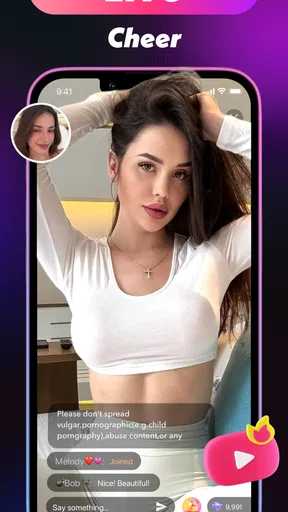
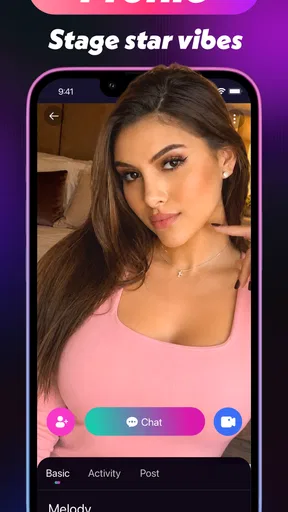
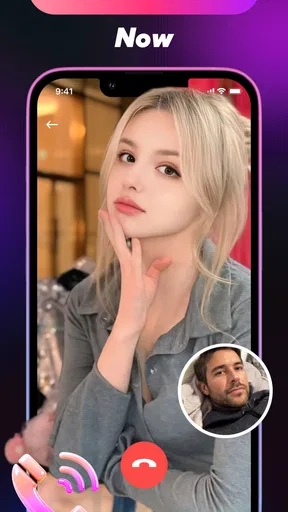
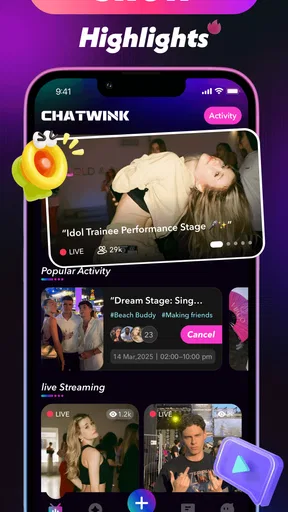
 Analysis by AppCompare
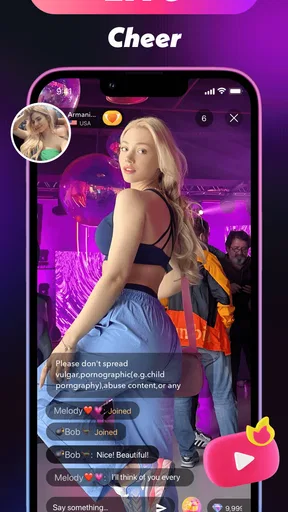
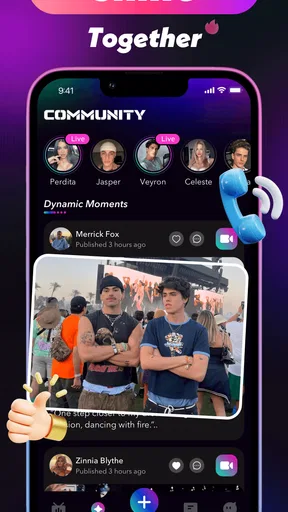
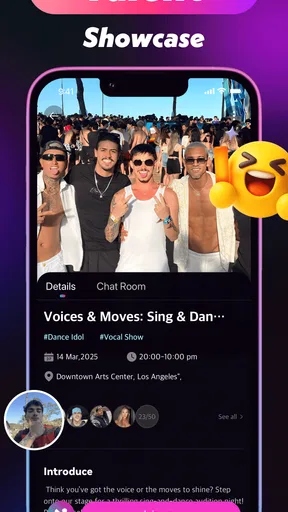
ChatWink: Live Dance Video Chat is a free lifestyle app from Lemarino built around the idea of dancing, singing, and appearing live with other people. I approached it less like a traditional social network and more like a casual stage: something to open when I want interaction, performance, or a quick change of pace rather than a quiet utility. Its store summary points directly toward live entertainment, while the short description simply presents the name ChatWink, so the real question is whether that concept feels practical in everyday use.
My overall impression is mixed. The concept is easy to understand, and it may appeal to people who enjoy being seen, performing informally, or meeting others through live video. At the same time, the very low average rating of 1.4 from around 34 ratings is an important warning sign. I would not recommend installing it blindly or treating it as a polished replacement for a mature video platform. I would approach it as an experimental social app, keep spending under control, and decide quickly whether its live experience feels comfortable and dependable on my device.
How ChatWink feels when you expect quick live interaction
The first thing I consider with an app like this is perceived speed. Live video has a different standard from ordinary social browsing: a delayed screen, a slow transition, or a session that takes too long to become usable can make the whole experience feel awkward. ChatWink’s purpose depends on immediacy, so I would judge it by how quickly I can move from opening the app to understanding where the live activity happens, joining an interaction, or starting a performance.
That expectation also creates a trade-off. A simple live-video app can feel more direct than a large platform filled with feeds, recommendations, editing tools, and unrelated content. However, a smaller service may also feel less refined when several people are active at once. I would not confuse a clean first impression with proven speed under pressure. The important test is whether the app remains understandable after the initial screen, especially when switching between watching, chatting, and performing.
For a friend deciding whether to try it, my advice is to test it during a short session rather than committing to a long evening immediately. Start on a stable connection, check whether the main controls respond naturally, and notice how much time is spent waiting or correcting the camera and microphone. For live apps, responsiveness is part of the feature, not a minor convenience. If the experience already feels hesitant before a real conversation begins, a more established video-chat alternative is probably the better choice.
Where the app may become demanding
Live dance and singing can be more demanding than ordinary messaging because the phone may need to handle camera input, microphone input, video processing, and a continuous network connection at the same time. Even without assuming a particular technical design, that combination can make long sessions feel heavier than reading posts or sending text messages. I would pay attention to warmth, battery decline, and whether the phone becomes less responsive after remaining in a live room.
The heaviest moments are likely to be the ones involving movement and sustained participation. A person dancing in front of the camera needs a stable image and enough room to move, while singing places more importance on microphone behavior and timing. These are not interchangeable use cases. Someone who only wants short conversations may find the app manageable, whereas a creator planning repeated performances should test it much more carefully before making it part of a routine.
Worth Reading Before You Choose

Flipboard Shows What News Apps Must Do Beyond the Feed

Switching to Android Auto Means Rethinking Your Driving Routine

Google Calendar Makes a Crowded Week Easier to Manage

Ludo King Makes the Most of the Minutes Between Plans

Baby Panda World Brings Quick Play to Modern Phones, but Its Game Library Feels Busy

ESPN’s Live Game View Makes Following Close Games Easier
One useful workflow is to prepare the physical setup before opening a live session. I would charge the phone, clear unnecessary background activity, use a steady surface or stand, and check lighting without repeatedly leaving the app. This does not add features that ChatWink may not have; it simply reduces avoidable strain. It also helps separate a problem caused by the surroundings from a problem caused by the app itself.
There is another non-obvious trade-off for performers: a phone that handles a short chat comfortably may not be pleasant for a longer dance session. Movement encourages users to place the device farther away, which can make the screen harder to read and controls harder to reach. I would therefore decide in advance how I will end a session, mute audio, or respond to a message without interrupting the performance. If those actions require too much attention, the app may be better for brief appearances than extended shows.
Stability matters more than novelty during a live session
Reliability is where I would be most cautious. A live social app has several points of failure: the app can stop responding, the connection can fluctuate, the camera can behave unexpectedly, or a session can become difficult to re-enter. I cannot treat the install count of over 10 thousand as proof of stability, and the low rating makes it especially sensible to keep expectations modest. The presence of users does not automatically mean the service is mature.
My practical test would be simple. I would open a short session, leave it normally, return later, and see whether the app restores a usable state without making me repeat every step. I would also test a brief interruption, such as moving between reliable and weaker network coverage, then check whether the app recovers or leaves the session in an unclear condition. Recovery is often more important than perfect performance, because real phones are interrupted by calls, notifications, changing connections, and accidental gestures.
If a live session breaks, I would avoid immediately tapping payment-related controls or repeating actions several times. A slow response can make it unclear whether an action succeeded. Waiting briefly, checking the visible state, and restarting only when necessary is a safer habit, particularly because the app includes optional purchases ranging from $0.99 to $99.99 per item. That range makes session confusion more than a small annoyance: users should be deliberate whenever an action might involve money.
The app’s Teen content rating also changes how I would approach reliability and social use. A younger user should not be left to manage live interactions alone, especially when the experience involves appearing on camera or communicating with strangers. I would recommend discussing privacy, camera boundaries, and spending before use. This is not a criticism unique to ChatWink; it is a sensible condition for any live video service, and the lower rating means I would be more careful rather than assuming everything will feel controlled.
Device limits and sensible expectations
ChatWink supports devices running Android 7.0 or later, which gives it a broad compatibility range on paper. Compatibility, however, is not the same as an equally good experience across every supported phone. Older hardware may be able to install the app yet struggle more with sustained camera use, heat, battery consumption, or switching between live elements. I would treat the minimum operating system as an access requirement, not a promise of smooth performance.
On an older phone, I would begin with short sessions and avoid judging the app from a single demanding performance. If the device becomes hot, the battery falls quickly, or other apps are pushed out of memory, I would regard that as a practical limit even if ChatWink technically continues running. A newer phone is not guaranteed to solve every network or service problem, but it can reduce the hardware burden created by live video.
Storage and background activity are also worth considering in ordinary use. I would leave enough free space for the operating system and other essential apps, close demanding tasks before going live, and avoid using the service while the phone is already struggling. These habits are particularly useful for someone who wants to dance rather than remain seated, because the camera position, distance, and movement make small delays more disruptive.
For iPhone users, I would first verify that the intended version is available for their device before planning around it. The confirmed compatibility detail here is for Android, so I would not assume that an iOS experience has the same requirements or behavior. That distinction matters when recommending an app to a household using different phones. I would also avoid promising that a specific older model will perform well simply because it can run a recent operating system.
What kind of person will get the most from it?
I can see ChatWink fitting someone who enjoys spontaneous performance and does not need a large suite of editing tools. If your goal is to sing casually, dance for an audience, or explore live conversations without building a carefully produced channel, the direct focus may be appealing. The free entry point makes a trial easy, although the presence of in-app purchases means “free” should not be interpreted as “without financial decisions.”
A realistic everyday scenario would be a user with half an hour after work who wants something more social than scrolling. They set the phone on a stable surface, check the room behind them, join for a short live interaction, and leave once the conversation becomes repetitive. In that situation, ChatWink can serve as a lightweight entertainment option. The value comes from the immediacy of appearing and interacting, not from collecting content or carefully managing a profile.
I would be less enthusiastic for someone seeking dependable professional broadcasting, detailed audience analytics, advanced moderation, or a broad creator ecosystem. A mature live platform is likely to be a better fit when performance quality, discoverability, recording, and predictable audience tools matter. ChatWink’s concept sounds more casual, and its rating does not give me enough confidence to recommend it for a serious public-facing routine.
It is also not the right choice for someone who dislikes being on camera, wants private text-only conversation, or expects a calm, low-resource lifestyle app. The live premise is central, so there is little reason to install it if the camera and microphone are not part of the intended use. Likewise, people who are sensitive to interruptions should test recovery before inviting friends or planning a scheduled appearance.
How it compares with ordinary alternatives
Compared with a standard messaging app, ChatWink offers a more performative idea: the interaction is tied to live presence rather than just typed replies. That can make a short exchange feel more engaging, but it also introduces camera, audio, connection, and privacy concerns that messaging avoids. If I only need to coordinate plans with friends, I would choose messaging. If I want to be seen singing or dancing, a live-focused service makes more sense.
Compared with established social-video platforms, ChatWink may feel less crowded and potentially easier to approach. The downside is that a smaller or less mature service may offer fewer familiar safeguards, fewer polished creator tools, and less predictable activity. I would choose the established alternative for a public project or a long-term audience, while giving ChatWink a chance only for casual experimentation.
Compared with a dedicated video-calling app, it is aimed at entertainment rather than a straightforward private conversation. A video-calling tool is usually the better option for family, work, tutoring, or planned one-to-one communication. ChatWink makes more sense when the point is to perform or participate in a social live setting. Choosing between them depends less on which interface looks nicer and more on whether the interaction is private and purposeful or public and spontaneous.
Version, cost, and the decision to keep it installed
The current Android version is 1.0.5, and the app was released on April 2, 2026. That relatively early version context makes me more forgiving of rough edges, but it also makes caution reasonable. I would update through the normal app channel when updates appear, then retest the actions I use most instead of assuming an update automatically improves every device.
There is no purchase price to install the app, which lowers the barrier to trying it. Still, the in-app purchase range is wide enough that I would set a personal rule before using live features: do not buy anything during a confusing screen, a stalled session, or an emotionally pressured interaction. The safest trial is to use the free portion first, understand what the app actually adds to your routine, and spend only if the benefit is clear.
My final performance verdict is cautious rather than enthusiastic. ChatWink has a clear appeal for casual live dancing, singing, and social performance, and I can imagine it being enjoyable in short, low-pressure sessions. Yet I would not overlook the average rating of 1.4, the possibility of heavier battery and heat demands during live use, or the need to test recovery after interruptions. I would recommend it as a careful trial, not as a dependable primary live platform.
If you are curious, use a supported Android device, begin with a brief session, prepare your camera position and connection, and keep purchases out of the first experiment. Keep it installed only if it responds well on your phone and the social experience genuinely adds something that messaging or established live-video services do not. For everyone else, especially users needing polished broadcasting, private communication, or predictable long sessions, choosing a more mature alternative is the sensible decision.
Pros
- Quickly meet people through live video and dance-focused interactions.
- Interactive effects and reactions make conversations more entertaining.
- Simple interface makes starting a video chat relatively easy.
- Live sessions can feel more spontaneous than traditional messaging apps.
- Useful for discovering creators and users with similar interests.
Cons
- Public video interactions may expose users to inappropriate or unwanted behavior.
- Some features may require coins
- subscriptions
- or additional in-app purchases.
- User activity and chat quality can vary significantly by time and region.
- Video calling can consume substantial mobile data and battery power.
- Privacy settings should be reviewed carefully before sharing personal details.
FAQs for ChatWink:Live Dance Video Chat
What is ChatWink: Live Dance Video Chat?
ChatWink: Live Dance Video Chat is a social entertainment app focused on live video interactions, dance content, and meeting other users online. After exploring its main features, I found that the experience is built around watching live sessions, joining conversations, and discovering creators or participants who share similar interests. The exact features available may vary by region, account type, and app version.
Is ChatWink: Live Dance Video Chat free to download and use?
The app can generally be downloaded without an upfront purchase, but some features may require in-app purchases, virtual credits, subscriptions, or other paid options. Users should review the pricing details shown in the app before sending gifts, unlocking interactions, or joining premium activities. Because payment rules and available packages can change, always check the current store listing and purchase screen before confirming a transaction.
Do I need to create an account to use ChatWink?
ChatWink may allow limited access before registration, but the main social and live-video functions typically require an account. Signing in can enable profiles, messaging, participation in live sessions, and personalized recommendations. Before registering, users should understand which information is requested and whether the account can be connected to a phone number, email address, or social login. Use accurate information and protect your login details.
Is ChatWink safe for chatting with strangers?
As with any live video chat platform, users should remain cautious when interacting with people they do not know. Avoid sharing your address, passwords, financial information, private images, or other sensitive details. Use the available block and report tools if someone behaves abusively or requests inappropriate content. Parents should be aware that live social apps may expose younger users to unpredictable conversations, so supervision and age restrictions are important.
What should I check before downloading ChatWink?
Before installing ChatWink, check the official Google Play or App Store listing for the latest age rating, developer information, permissions, privacy policy, supported devices, and user reviews. Live video features can consume considerable mobile data and battery, so a stable internet connection is recommended. You should also confirm whether the app is available in your country and review any subscription or virtual-item terms before using paid features.


